


I started out yesterday and asked codex to implement the initial spec.
The design work began with me describing, in just a few sentences, what I wanted to build. From there, ChatGPT and I spent hours discussing the details.
We went back and forth as I repeatedly emphasized what was important to me. ChatGPT explained how other people approach similar problems, what the common practices are, and why certain design choices are typically made. Along the way, I learned a great deal about content creation that I hadn't known before, which was cool.
Once we had worked through the design, I asked ChatGPT to turn our discussions into a formal specification for the application that Codex could use. After that, I created a new GitHub repository, launched Codex in that repository on my machine, and asked it to review the specification. I told it to point out anything that was unclear or ask questions where additional detail was needed.
As it turned out, there were quite a few areas that needed clarification.
Codex—powered by the same underlying AI technology as ChatGPT—performed a thorough review of the specification. I clarified a few points myself, but most of the work involved copying information back and forth between the ChatGPT conversation and Codex's feedback until every open question was resolved and the specification was fully defined.
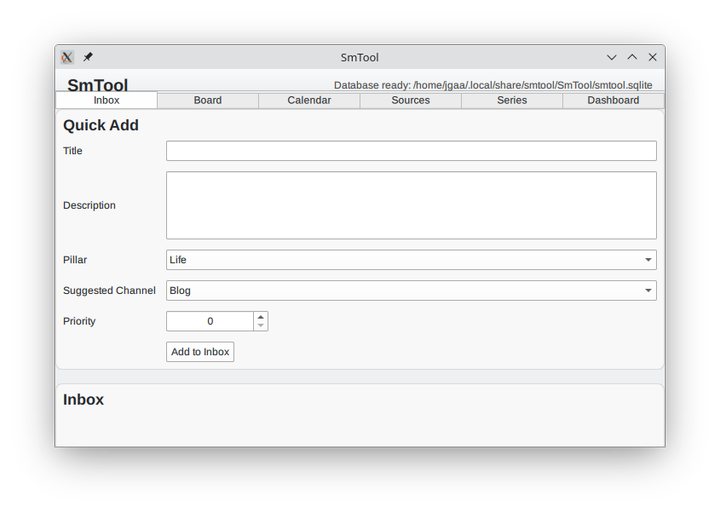
Yesterday when I began creating content about the project (I recorded a short video and made some notes for a blog post), Codex spent about 23 minutes generating the initial implementation.
The first version looked like this:
Day 2
Today, I spent about four hours going back and forth with Codex.
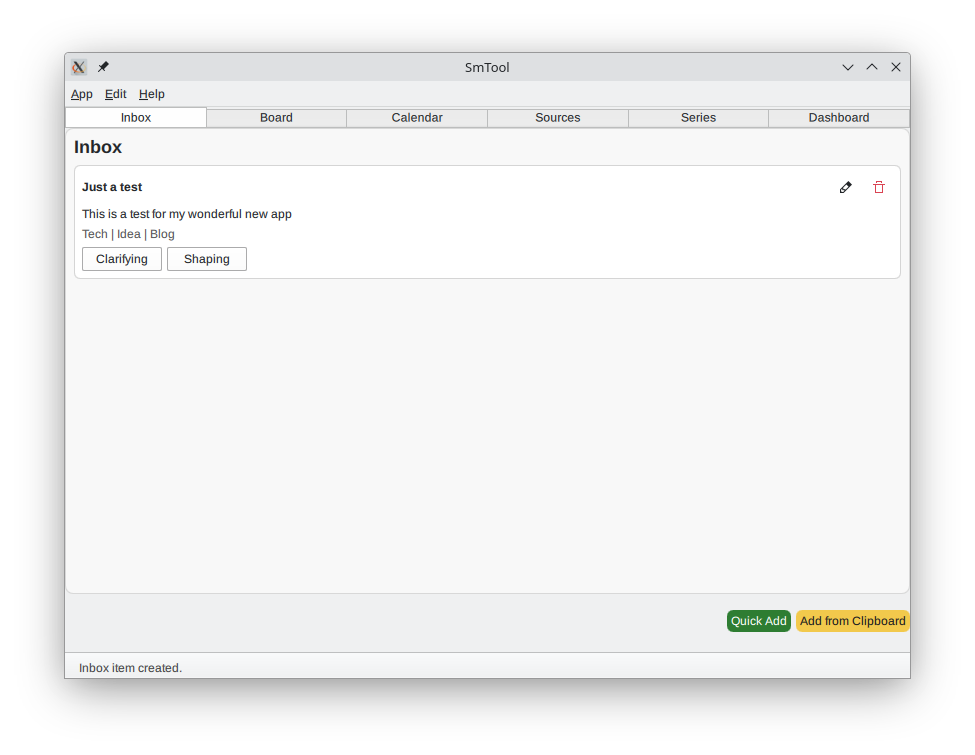
I didn't change the specifications at all. Instead, I worked through the application piece by piece, making lots of small improvements and refinements. For example, I added an application menu, removed the top bar that contained the application name and status text, and moved the status information into a proper status bar at the bottom of the window. I converted several pseudo-dialogs into actual dialogs and generally cleaned up the UI.
I also verified that the basic functionality worked. At first, it didn't. Now it does.
The process felt very similar to working with a junior developer who had been assigned the project but didn't have much experience building this type of application. I would review what had been done, point out issues, suggest improvements, and then let Codex implement the changes.
From the beginning, I told Codex that this was only a proof of concept and that it should keep everything as simple as possible. It followed that instruction well, and I'm glad it did. It meant I could spend my tokens on functionality that actually matters to me instead of generating large amounts of infrastructure code that nobody sees and nobody uses.
By the end of the day, I had an application that can already do most of what I originally wanted.
The Workflow Is Starting to Come Together
One of the things I'm most excited about is the content creation workflow.
I already use a local transcription application connected to a local LLM, and I often dictate ideas as they come to me. Now I can open QVocalWriter, speak a couple of sentences about a topic, press Transcribe, and then press another button to copy the transcript to the clipboard.
From there, I can switch to SMTool and create a content item directly from that transcript.
The entire workflow is almost frictionless. Whenever I get an idea, I can capture it immediately and turn it into something actionable. It's fast, convenient, and fits very naturally into the way I already work.
This is what the app loks like now:
The Kanban board
The application also has a Kanban board.
You know the type: several columns containing cards that can be moved between different stages of a workflow.
The first version used buttons and dropdown menus to move items around. One of the first things I changed today was replacing that with drag-and-drop functionality. Now it behaves much more like Jira or any other professional tool in the same category.
What's Next
I also found a few things I don't like yet. I'm sure I'll find more once I start using the application for real.
My plan is to begin using it tomorrow, although there are still a few features I want to add first. I'll probably spend the next three days polishing it, a few hours each day.
At that point, I should have exactly what I wanted: a dedicated planning and content-management tool for my blog posts and social media content.
And the best part is that once it's finished, I won't have to think about it anymore. It'll simply do its job until I eventually decide to add more features.
This is really, really useful for me and I'm quite excited about where it's heading.