
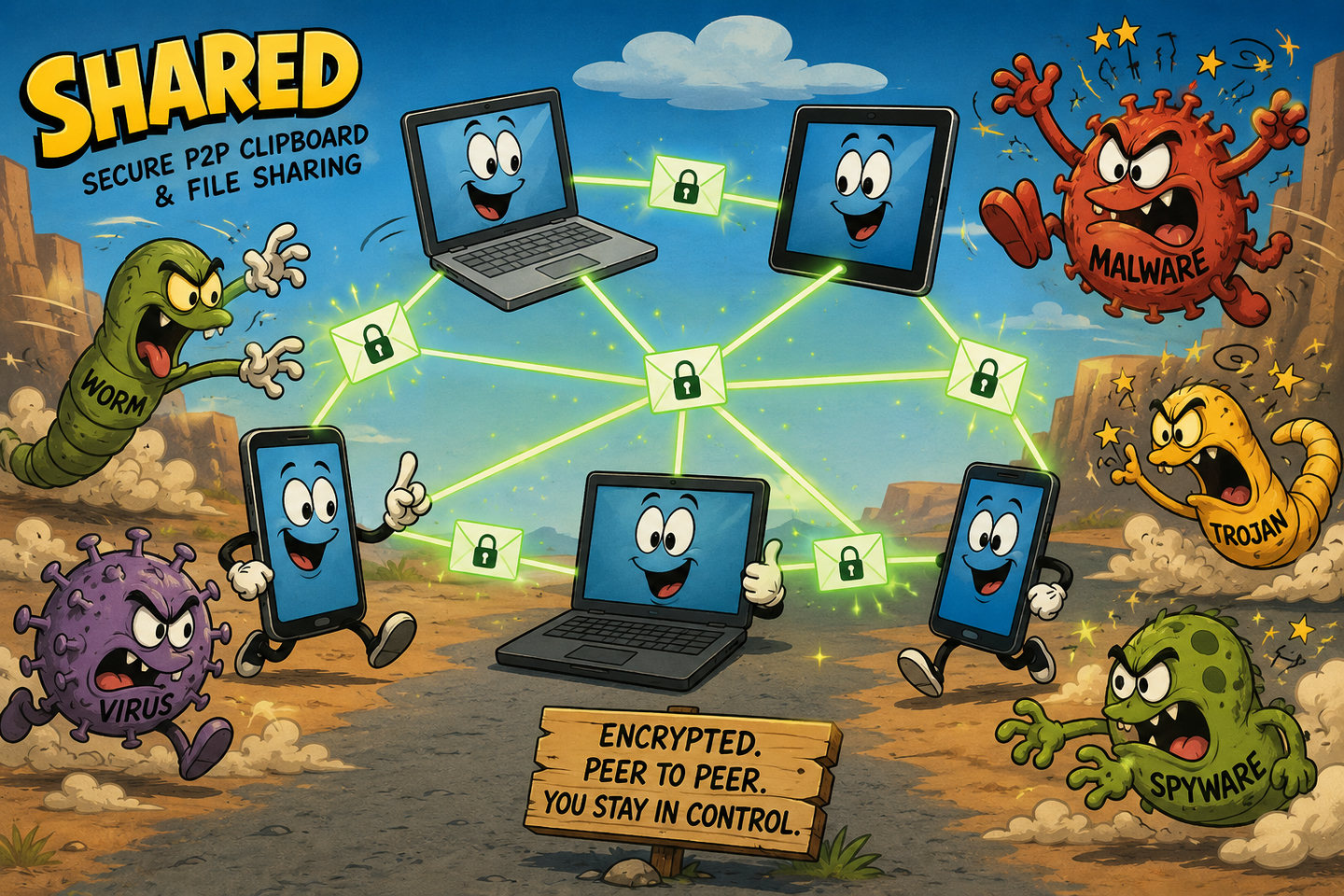


If you don't plan to be hacked in 2026, you better stay 100% off the Internet.
For the rest of us, we need to upgrade our devices and software to work in a no trust environment. That does not mean we have to let go of convenience.
We have to stop trusting our devices
With today's pretty powerful AI agents - and governments and criminal organizations (is there really much difference any more?) using those tools to hack into networks at scale - not to mention when AI worms start coming out for real outside the labs, basically everything will be hacked. Like in Absolutely everything.
For the last 30 years we have built IT systems by adding layer upon layer of new complexity, each with its own subtle and not so subtle bugs and vulnerabilities.
I expect all my devices connected to the Internet to be hacked sooner or later. My Android phone is a good example. Governments, intelligence agencies, criminal organizations, and increasingly ordinary hackers have the capability to compromise phones without me even pressing a button. I reinstall them from time to time, but I always assume they are compromised and don't give them any secrets. That does not mean I cannot use the phone. It means that I have to make sure the phone cannot easily leak any significant information or exploit my other systems.
So I like good, thick isolation between my devices. If I want to send files between my phone and one of my laptops or share clipboard contents, I want to do it manually, when I decide, for exactly the data I choose. Not through automatic synchronization.
Synchronization is the wrong default
Unfortunately, desktop software developers seem to have completely lost their minds! Take KDE Connect. By default it happily synchronizes the clipboard between your PC and your Android phone. The clipboard! For me, that is insanity.
I don't use password managers that automatically inject passwords into web browsers because there are simply too many vulnerabilities in those technologies. I use a password manager that runs as an offline desktop application with a locally encrypted file. When I need a password, I copy and paste it through the clipboard. If something synchronizes my clipboard, I no longer have privacy nor secrets! My passwords are being broadcast to other devices.
The same goes for clipboard sharing between virtual machines and the desktop. Again, passwords are synchronized by default. What the fuck?
If I run a virtual machine, it is usually because I am doing something less trustworthy. Maybe I am testing software. Maybe I am experimenting with new technologies. Maybe I'm using npm or pip. Maybe I simply want to contain whatever bad things happen inside that VM. I definitely do not want my passwords automatically transferred into it. Fortunately it is possible to disable that "feature", but it is not trivial. It is not just a checkbox. You have to edit XML by hand and cast your spells in an ancient language that few people today even understand.
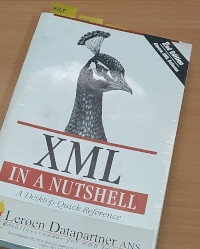 My XML "Quick Reference" from 2002 of just 616 printed pages.
The old workaround
Until now I mostly used a small web chat, Yahat Chat, I wrote as an example for an embedded HTTP/1.1 C++ server library. It lets me chat between devices through a web browser using a server that logs nothing and stores nothing on disk. Messages are simply relayed to connected participants. It worked reasonably well for copying non-critical passwords, but it was inconvenient. I had to start a browser, go to an IP address and custom port, and every transfer created friction.
For files I used another workaround. I placed the file on one machine, started Python's built-in HTTP server, and downloaded it from another device. That also worked, but it was not ideal. Other devices could potentially access the file if they happened to discover the server, and everything was transferred unencrypted because setting up TLS just to transfer one file is simply too much bother.
So this week I had enough and wrote Shared
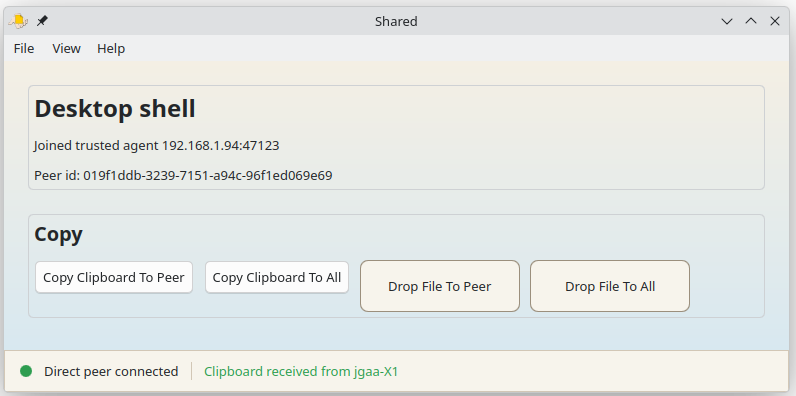
It is a peer-to-peer application for transferring clipboard contents and files between my own devices. Nothing is synchronized automatically. When I decide to share something, I choose exactly what to share and exactly where to send it. The communication protocol uses Protocol Buffers because protobuf packs data consistently regardless of architecture. If I send an integer, the bits arrive correctly on every platform. It is also a convenient way to define message structures. What I do not use is gRPC. Or HTTP. Instead I designed a very simple wire protocol using mTLS.
A no trust design
The whole application is designed to work securely in a mostly no trust environment. I designate one machine (desktop or laptop) as the trusted agent. That machine creates the certificate authority and signs certificates for every device that participates in the cluster. When another device starts for the first time, it can either become the trusted agent itself or connect to an existing trusted agent.
The initial pairing uses ordinary TLS because the peers do not know each other yet. The new device verifies the fingerprint of the trusted agent's certificate before it accepts the connection. That effectively eliminates man in the middle attacks. The new device then generates its own certificate, sends it to the trusted agent for signing, and is added to the list of trusted devices. That list is signed by the trusted agent and distributed to every participant. Every connection is validated against that signed list. Even if somebody somehow possesses a signed certificate (for example for a peer that was later dropped from the list), they cannot connect unless their fingerprint is present on the current list of trusted agents.
Relay nodes without trusting the relay
The certificates are also used to encrypt the traffic itself. The application can work a little bit like the Tor network, except with only a single relay node depth. Two peers that cannot reach each other directly can communicate through another agent that both of them can reach. That relay simply forwards encrypted traffic. Since the payload itself is encrypted end to end, the relay has no knowledge of what is actually being transferred. That means I can use an untrusted machine as a relay between two devices that trust each other more than they trust the relay. The agents also gossip every few minutes, sharing the IP addresses they know about. That allows devices behind NAT, virtual machines, and Android phones on the same Wi-Fi network to discover each other directly whenever possible.
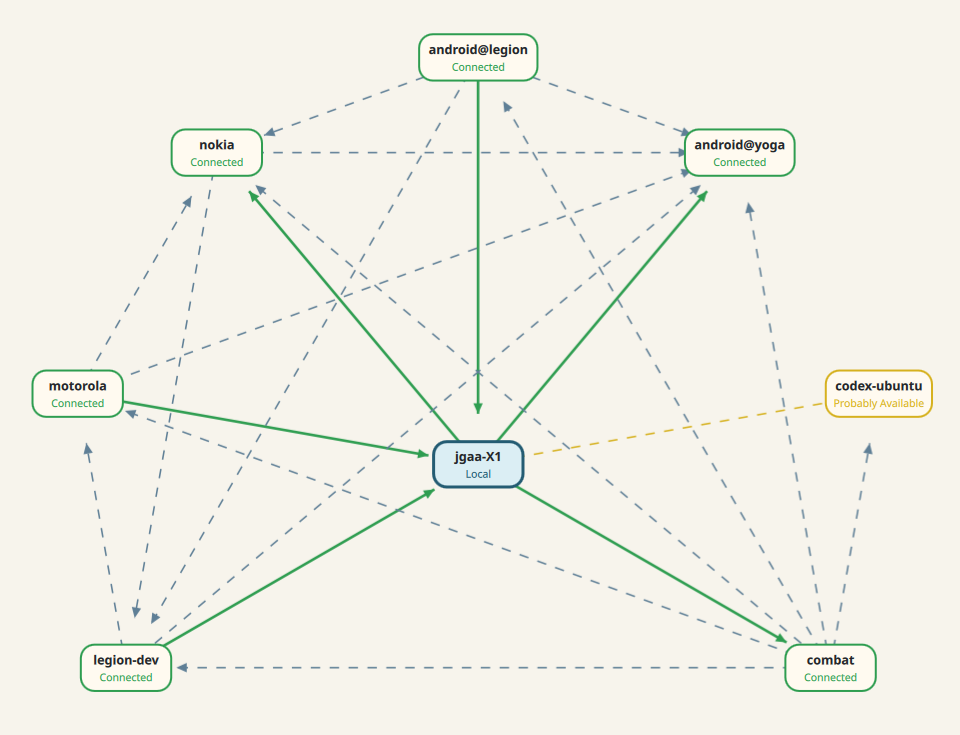 The illustration shows the mesh network as known by the laptop jgaa-X1. The green lines are direct connections. The gray lines are connections between other peers that it knows about through gossip. The orange line is to a node behind another NAT that it can't reach directly, but probably can send to via a shared peer acting as a relay.
Why I didn't use gRPC
One of the craziest examples of unnecessary complexity today is gRPC. It is very convenient to use because you define your structures and procedures in a text file and a code generator creates everything you need. You get server code, client code, and it interoperates across lots of programming languages. I use it myself. The crazy part is that it uses HTTP/2 as the transport protocol. HTTP/2 is extremely complex and almost impossible to implement securely. Requiring all of that complexity just to transport a simple wire protocol with some serialized and compressed data makes no sense to me. To make matters worse, most deployments place one or more HTTP proxies in front of the actual gRPC server, each with its own HTTP/2 implementation. Even if one layer is secure, another one may not be.
There was recently found another serious HTTP/2 vulnerability. I guarantee there will be more. My own NextApp was vulnerable for a while because of one of those flaws. For Shared I wanted something much simpler, that hopefully will be harder to break.
Using Shared
Using Shared is very simple. If I want to share the clipboard, I press a button and send it to one peer or to all peers. If I want to transfer a file, I simply drag it into the window and choose where it should go.
It is the most convenient app I've ever had to just copy a URL or some text or a file between devices. For example, I may see something on my phone that I want to explore in depth on my tablet - so I just send it over directly from one clipboard to another without going via the "cloud" (where Google and potentially thousands of it's "partners" are likely to see it).
Android version
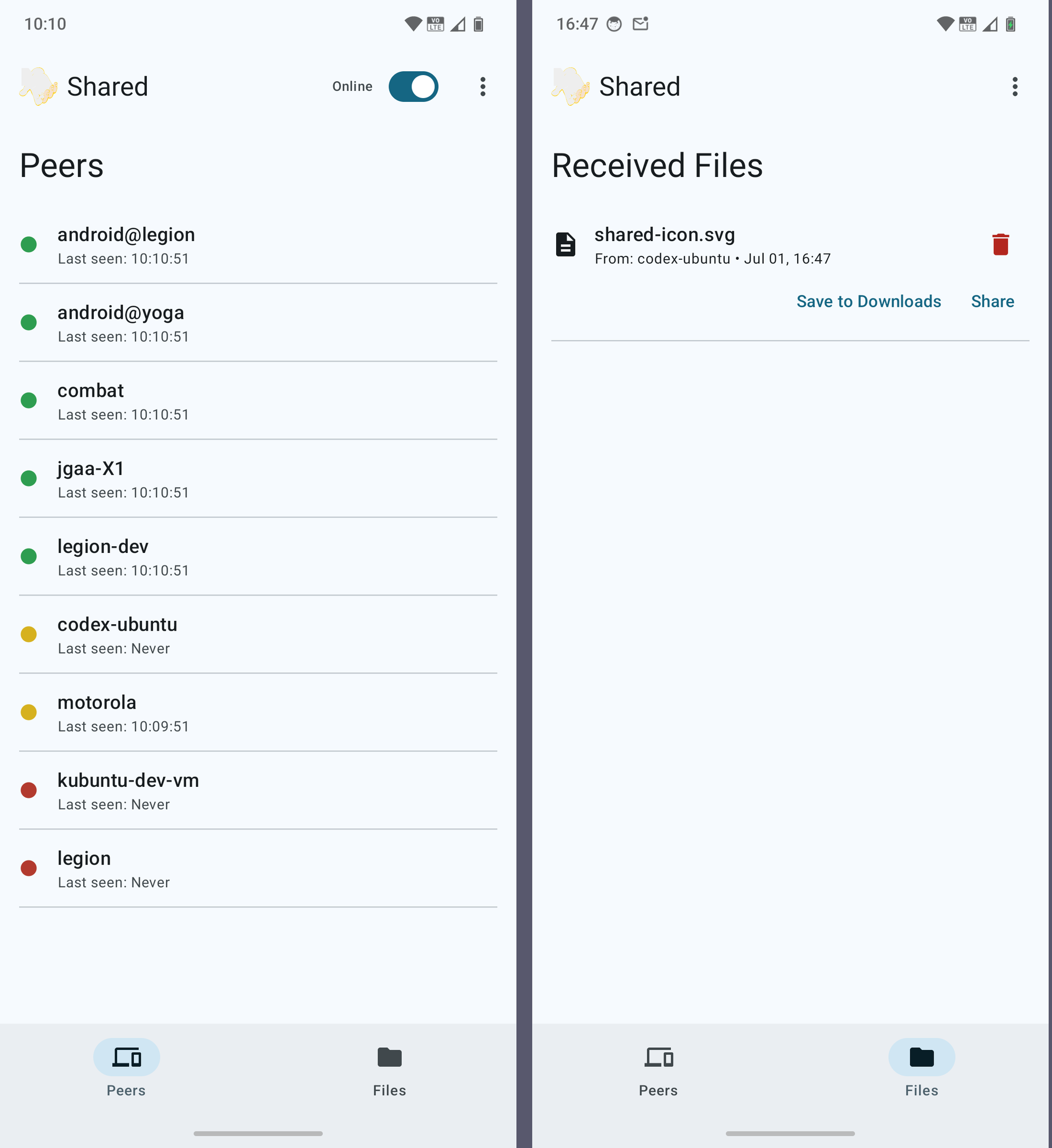
The Android app is written in Kotlin and uses no native code. With a project as small as this, it's simpler to keep the desktop and Android apps in their own code bases.
It stores the files it receives from peers in its own private location. It allows you to share files with other apps, and it allows you to copy files to the users Download folder. It also acts as a receiver for shared files, so other apps can share files with the app securely (without saving the file in a public folder like Download). It works similar to the drop target on the desktop app. If a user shares a file with shared, it asks you which peer you want to send it to, and then encrypts and sends the file.
Who this is for
This project is for me, other developers, DevOps people, security people, and advanced users who know how to compile software. I have no plans to produce packaged distributions beyond perhaps a Flatpak on GitHub.
If you want the full functionality of the desktop app you have to compile it from sources. The flatpak app works, but it don't show a tray icon for the app, and you have to use the File menu to send files.
If you want the Android app, you have to compile it yourself. If someone actually wants an Android version in Google Play, create an issue on GitHub and ask for it. I am happy to spend the time if there is real interest, but I am not going to spend a day working through Google's requirements just to publish an app that nobody uses.
I expected this project to take one day. It actually took almost four. There were lots of things I had not thought about and learned along the way, and features I just wanted as soon as I started to use it. I am pretty pleased with the result. It is not particularly pretty, but it is functional and delightfully simple to use.